Is this only for insurance restoration, or also for general contractors?
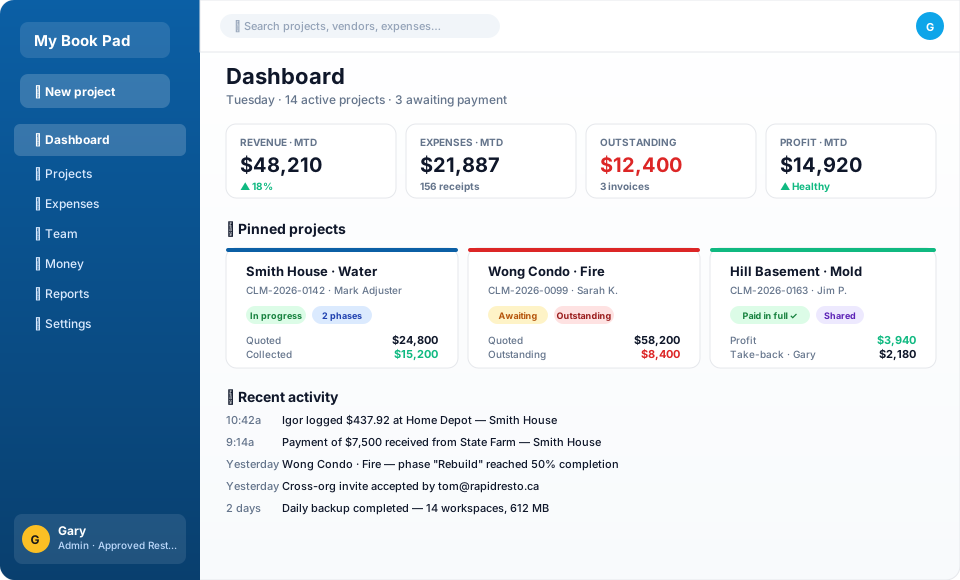
Both. Insurance restoration crews use it with claim numbers, adjusters, and Emergency + Rebuild phases. General contractors use it with quotes, change orders, and progress billing on renovations, builds, and trade work. The Project Type picker (Insurance vs Retail) tells the app which fields to show; everything else — receipts, partners, profit splits, cross-org collaboration, settle-up — applies equally to both.
What happens after the 3-month trial?
If you don't subscribe, your workspace becomes read-only — you can still log in and see everything, but you can't add new expenses, payments, or projects until billing is set up. Your data is kept safely either way for at least 30 days.
How does the cross-org collaboration work?
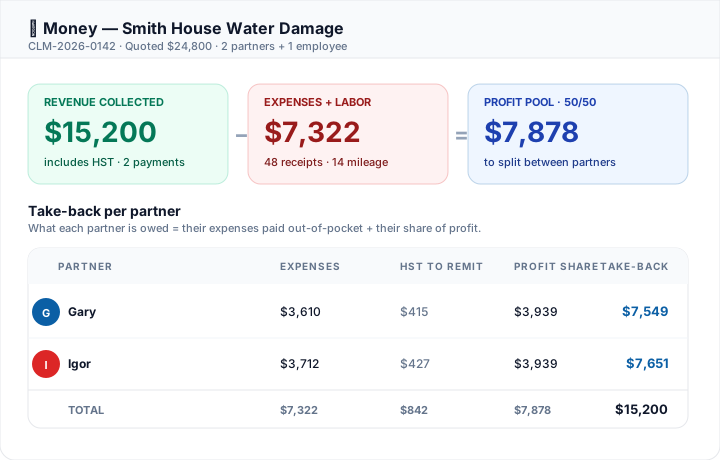
If you sub out part of a job to another contractor who also uses My Book Pad, you can invite them to collaborate on that specific project (or all your projects). They log their own expenses on the shared job; both sides see the work; settle-up math tracks who owes whom.
Can I cancel anytime?
Yes. Manage your subscription from Org Settings → Billing → Manage subscription. Cancellation is immediate (you keep access until the end of the current billing period). No "talk to retention" runaround.
What about my data — privacy, exports, deletion?
Each workspace has its own SQLite database. We don't share your job data with anyone. You can export to CSV from any list page. You can delete your workspace yourself from Org Settings → Danger zone (30-day grace period for restore).
Does receipt OCR really work?
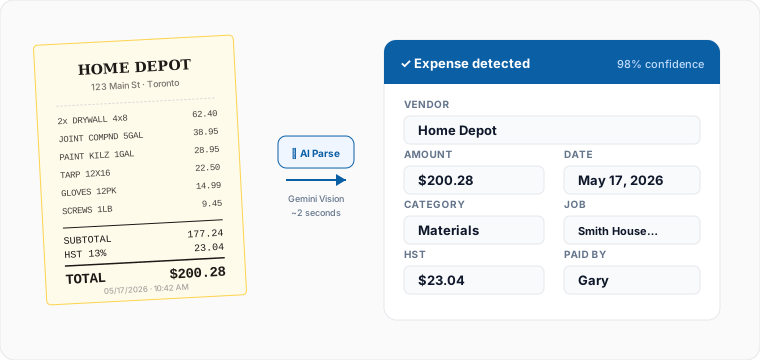
It uses Google Gemini's vision model. Vendor, total, date, tax, and category come back populated about 95% of the time for clear receipts. Smudged or angled photos can miss — but you can edit anything OCR fills in before saving.
Can clients sign documents on their phone?
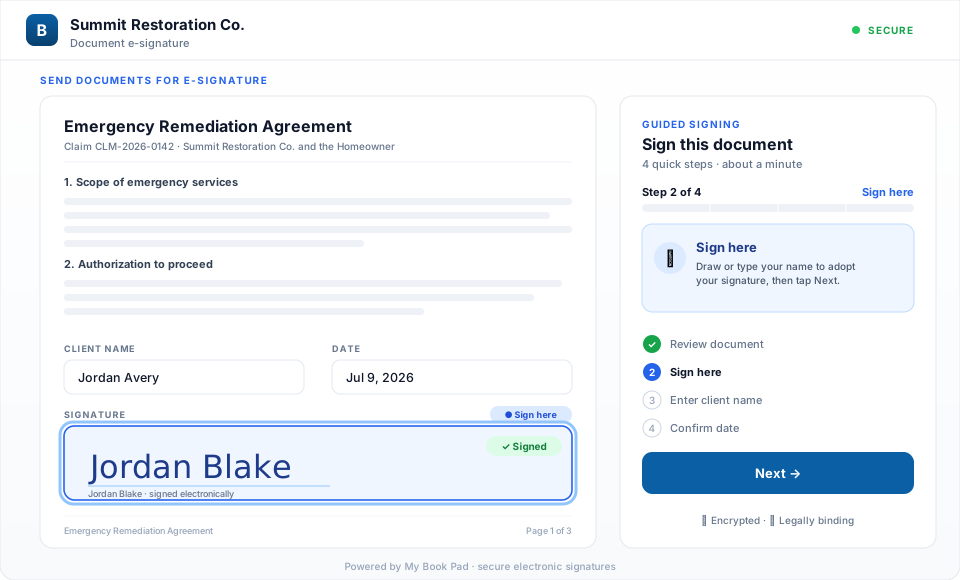
Yes. Upload your forms once — work authorizations, payment agreements, scope sheets — and drop signature, initials, date, and text fields on them. Send a client one secure link (no login, no app) and a guided walk-through takes them field-by-field on their phone. Your company can counter-sign, and once every party has signed, the job can turn into a live project with the signed PDFs attached.
Does it help with insurance contents claims?
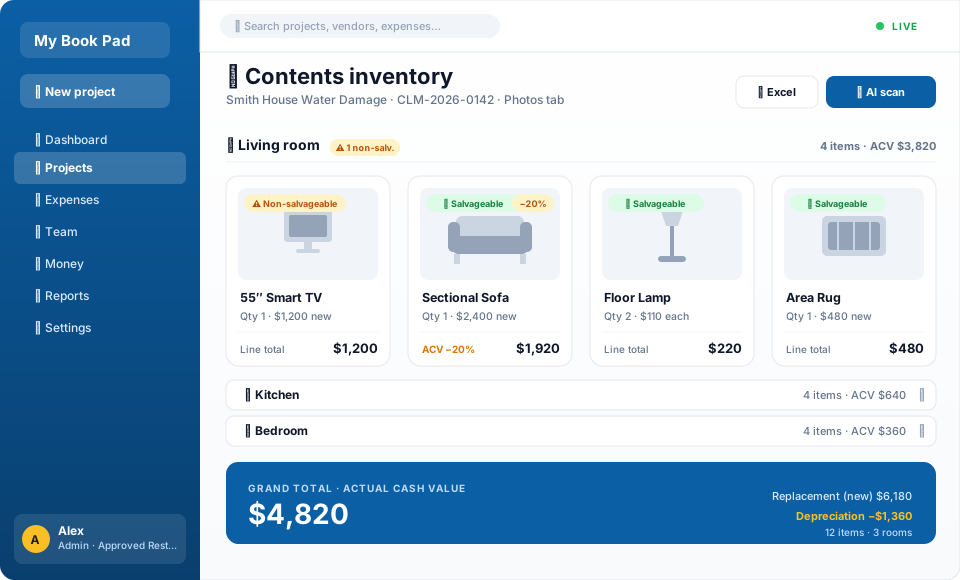
The contents inventory lets you photo-catalog a client's damaged belongings room by room. Snap a photo and the AI identifies the item, prices a replacement, and finds a buy link; set depreciation per item for actual-cash-value totals, flag salvageable vs non-salvageable, and export an Excel sheet or a photos-plus-spreadsheet ZIP for the adjuster.